ACCESSIBILITY USECASES

Real Examples. Real Accessibility.

Dive into use cases and examples that show how accessible PDFs make a difference.

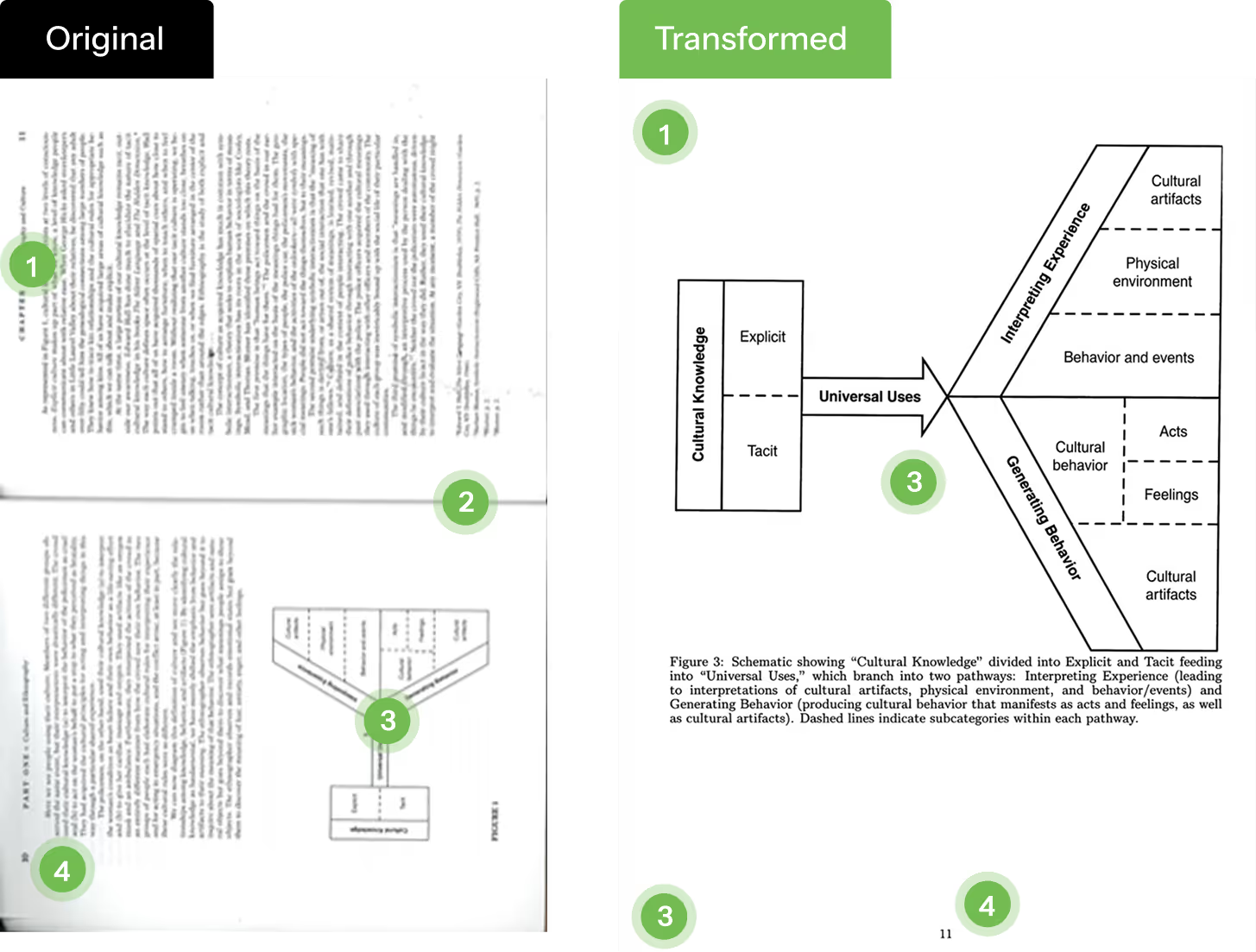
PDF Accessibility - Ethnography

Photocopies of textbook on ethnography and culture.
an illustration of pdf accessibility problems
Accessibility Features
Textbook Headings
In this example, the page has a two column layout, with an image inlay.  It correctly maintains read order in final output.
Double Page
The original source file is a double-page photocopy with a black outline for the rest of the page.  It knows to break this up into two pages.
Diagrams
It generates the description of a diagram for a non-sighted person.  The diagram explains the boxes, and the relationship between the elements.
Page Numbers
Page numbers from original page numbers are preserved

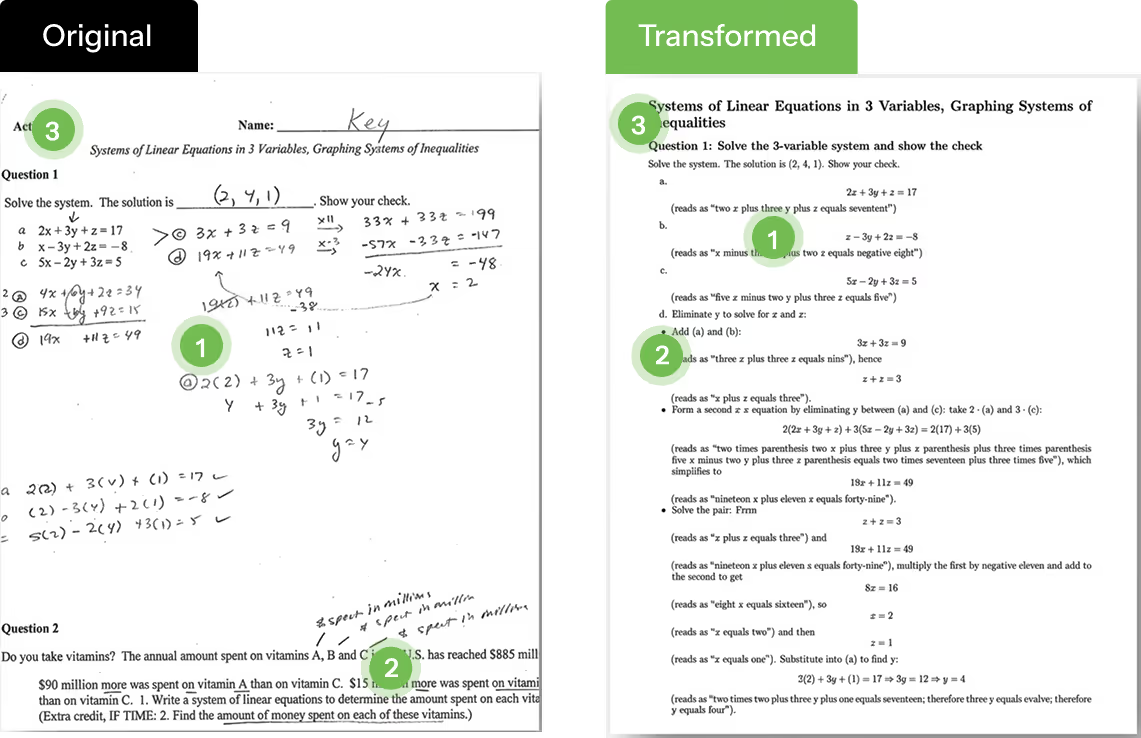
PDF Accessibility - STEM

Text and Handwritten Combinations in STEM classes (Accessibility)
an illustration of pdf accessibility problems
Accessibility Features
Read Order
Maintain read-order even in scenario even when you have freely written text annotations
Captions for Formula
Captions for formulas for audio readers to easily explain.
Heading Structure
Can have strict headings for H1, H2, H3 sessions

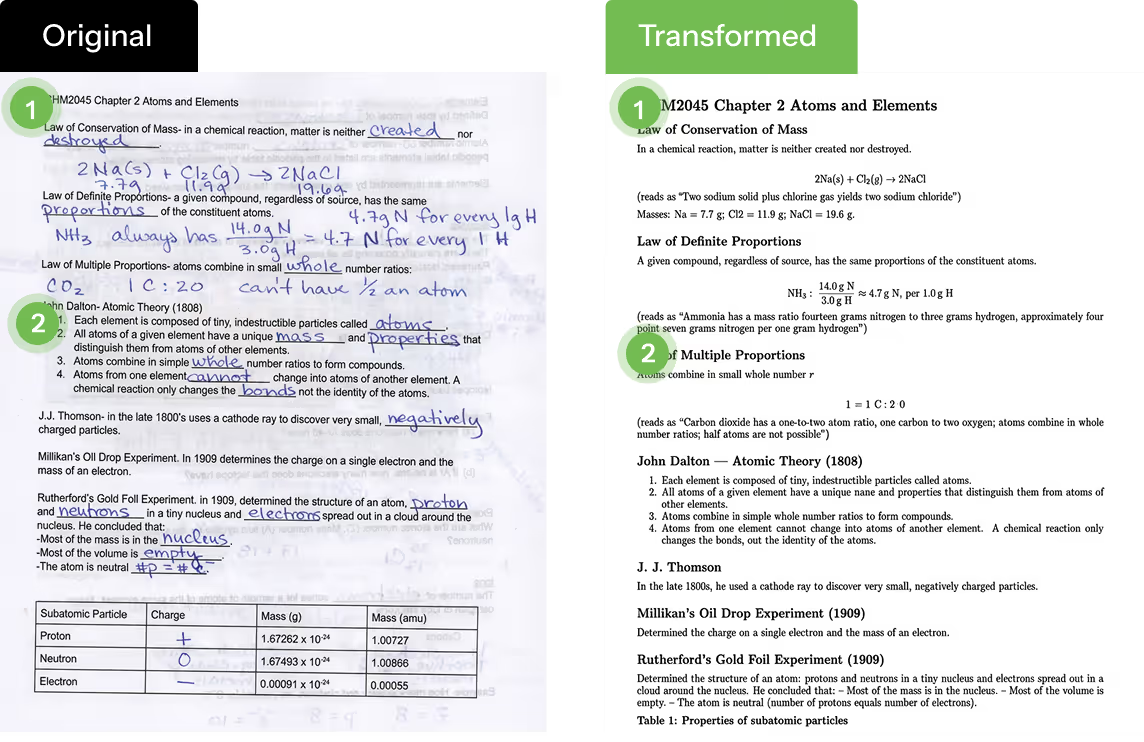
PDF Accessibility - Photocopies

Photocopies of pages and notes, even when photocopy isn’t clear.
an illustration of pdf accessibility problems
Accessibility Features
Poor quality photocopy
The original file has content from other side of the page.  Original PDF is often askew or sideways for text books.
Annotations and Handwritten Text
Original text in OCR or handwritten text incorporated together maintaining inline read-order.

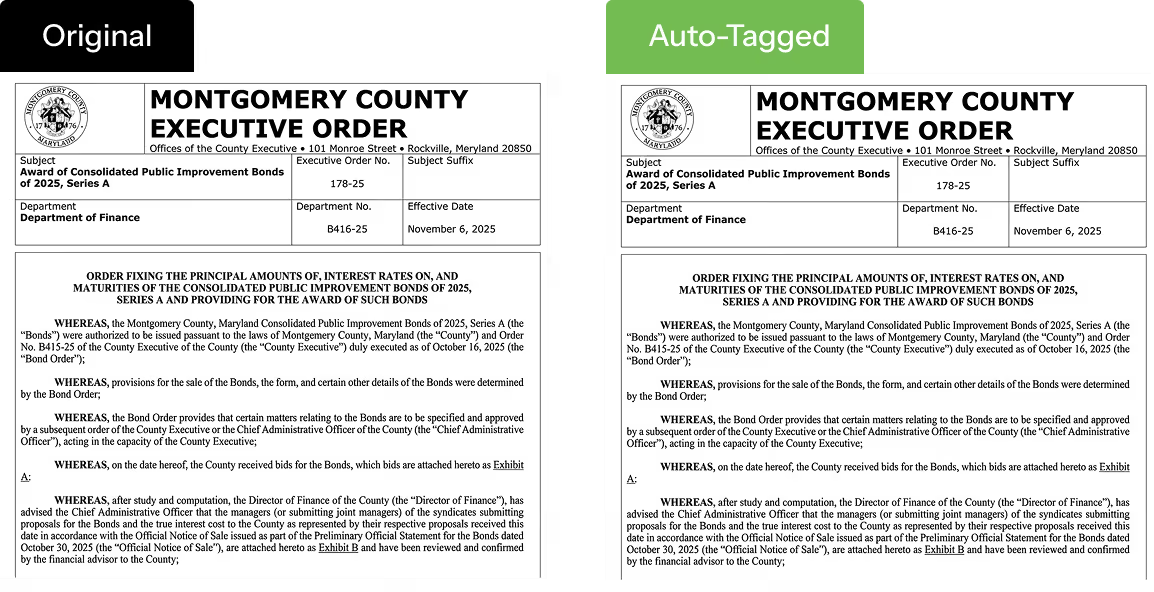
PDF Accessibility - Executive Orders

Government Public Documents and Spreadsheets.

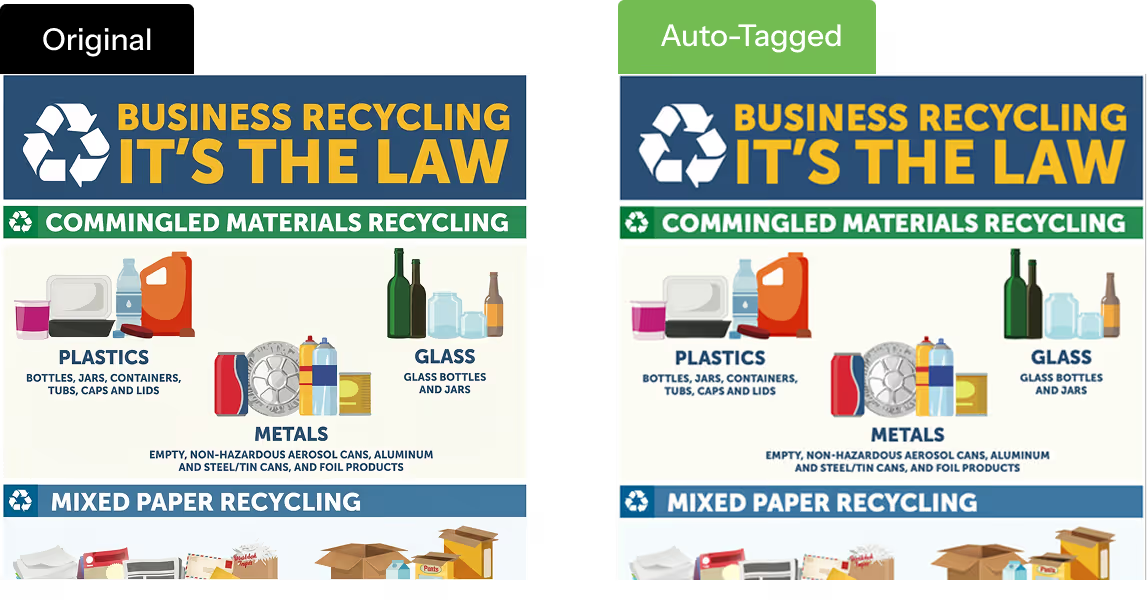
an illustration of pdf accessibility problems
Accessibility Features
Preserves Formatting
Original document is print ready formatting and the document does NOT change visibly.
Document Properties
Captures document title, language, author, title
Headings
Detects headings and bookmarks within pages.

PDF Accessibility - Public Documents

Government Application
an illustration of pdf accessibility problems
Accessibility Features
Preserves Formatting
Original document is print ready formatting and the document does NOT change visibly.
Document Properties
Captures document title, language, author, title
Headings
Detects headings and bookmarks within pages.

Accessible Learning Starts with Better PDFs

CampusMind helps edtech teams remediate content quickly—get your tailored quote now.
Get Accessibility Quote