
Retention Agent · Get started

Start the Retention Agent by tracking one system

Start with one system and see how the agent analyzes your student data to flag students early for your advisors.

Advisors set risk scores and messages
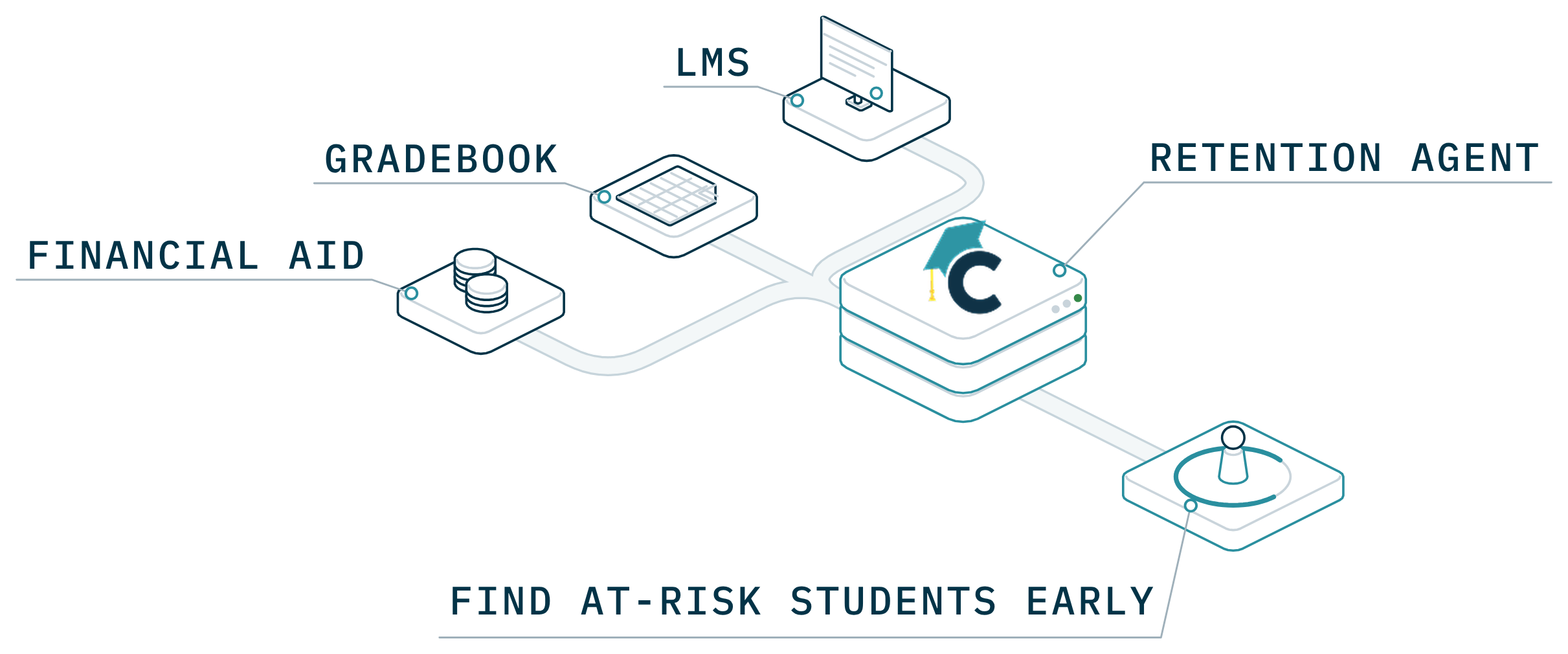
Signals from the LMS, the gradebook and financial aid run into the Retention Agent, which finds at-risk students early.

Start with one system

Track one system first

Connect one system, like your course site or student records, and see the agent’s flags and drafted check-ins.

We’ll reply with what we need to set it up.

Required

Request received

You’re all set. Let’s get your first system connected.

We’ll reply with what we need to set it up. Here’s what your advisors will see:

  • At-risk students flagged
  • Check-ins drafted for approval
  • Risk scores your advisors set
Something went wrong sending the form. Check the fields above and try again.

Prefer to talk first?

Book my team’s walkthrough

A call with our team about your campus and what you want to try.

Pick a time (opens in a new tab)

What happens next

After you send it

  1. 1

    We read the signals

    Signals from the system you chose, such as course activity, records or financial aid.

  2. 2

    Advisors see one queue

    Each flag shows why a student was flagged, with a check-in drafted for approval.

  3. 3

    Walk through it with us

    We set score bands and contact limits with your team before anything is sent.